ASPECT Language
ASPECT is declarative sub-language of ASP that can be used to define the graphical representation of an answer set. ASPECT (standard) syntax consists of 21 special atomic formulas that define rendering of geometric primitives such as points, lines, polygons, ellipses, etc. The positioning of each element is determined by Cartesian coordinates.
The syntax of the ASPECT language is inspired by the popular PGF/TikZ language developed for drawing vector graphics in the markup language LaTeX.
A concise variant of the ASPECT language has been developed specifically for graph visualization (these are called graph atoms). This variant allows the user to define graphical elements (e.g., nodes and edges) without the need to worry about specifying coordinates, which are instead handled and optimized by the TikZ package. This variant consist of 6 atoms.
Attention
The following two sets of ASPECT atoms (standard atoms and graph atoms) are incompatible so they cannot be used in the same ASP program at the same time.
Standard ASPECT Atoms
Graphic
element
|
ASPECT
atoms
|
Parameters
description
|
|---|---|---|
node |
aspect_drawnode(x1,y1,text,[size],[frame])aspect_colornode(x1,y1,text,[size],color,[frame])aspect_imagenode(x1,y1,image,width,[frame]) |
x1 x-coordinatey1 y-coordinatetext set the node labelsize (opt.) font sizecolor sets the text colorimage path of imagewidth image width (px)frame (opt.) frame number |
text: quoted or unquoted text. If text contains whitespaces or special characters, quotation marks are mandatory.size: (optional) LaTeX font size modifier-commands (Huge,huge,LARGE,Large,large,normalsize(default),small,footnotesize,scriptsize,tiny). Accepts values both with and without quotes. Font size modifier-commands can be redefined as needed in the LaTeX document.color: named colors provided by the xcolor package (red,green,blue,cyan,magenta,yellow,black,gray,white,darkgray,lightgray,brown,lime,olive,orange,pink,purple,teal,violet). Accepts values both with and without quotes. When quotation marks are used, this parameter provide support color mixing (e.g.green!10!orange). The user can define other custom colors within the LaTeX document (see also free operating mode).
Hint
Text node with modified font size, e.g.
aspect_drawnode(0, 0, "test", small),aspect_drawnode(0, 0, test, "small")Text node with modified color, e.g.
aspect_colornode(0, 0, "test", red),aspect_colornode(0, 0, "test", "red"),aspect_colornode(0, 0, "test", "red!20").
line |
aspect_drawline(x1,y1,x2,y2,[frame])aspect_colorline(x1,y1,x2,y2,color,[frame])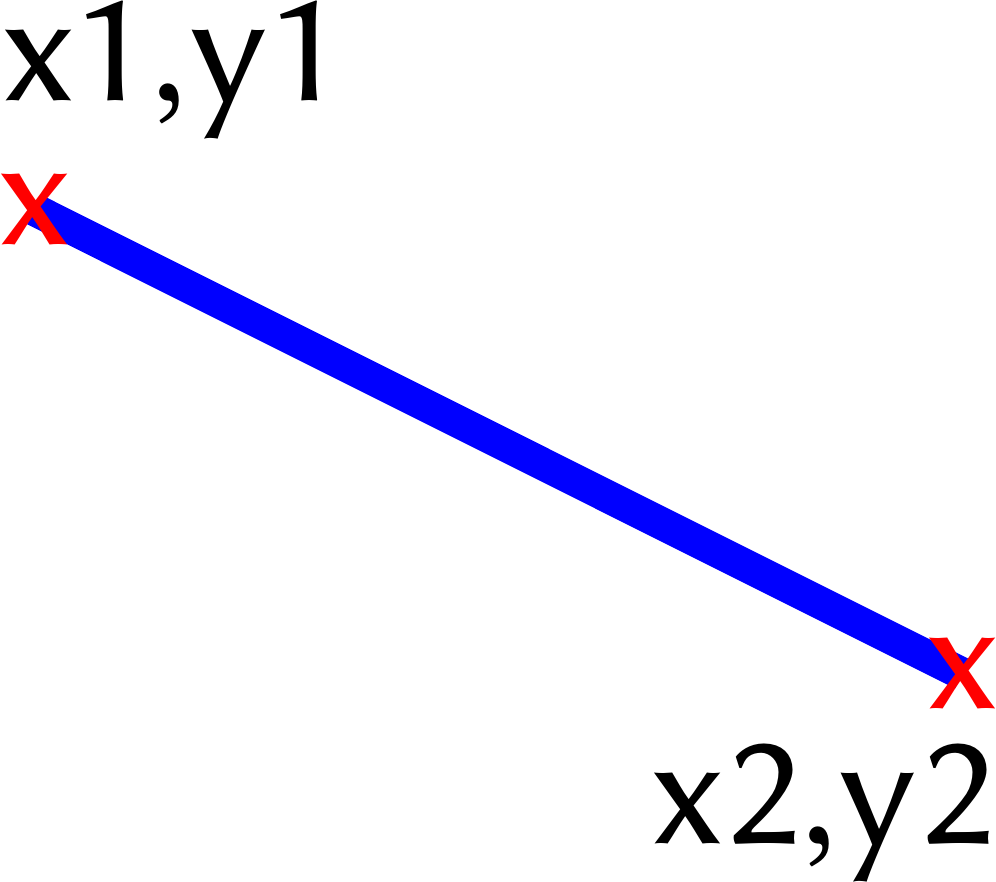 |
x1 start point x-coordinatey1 start point y-coordinatex2 end point x-coordinatey2 end point y-coordinatecolor sets the line colorframe (opt.) frame number |
arc |
aspect_drawarc(x1,y1,a1,a2,r1,[frame])aspect_colorarc(x1,y1,a1,a2,r1,color,[frame])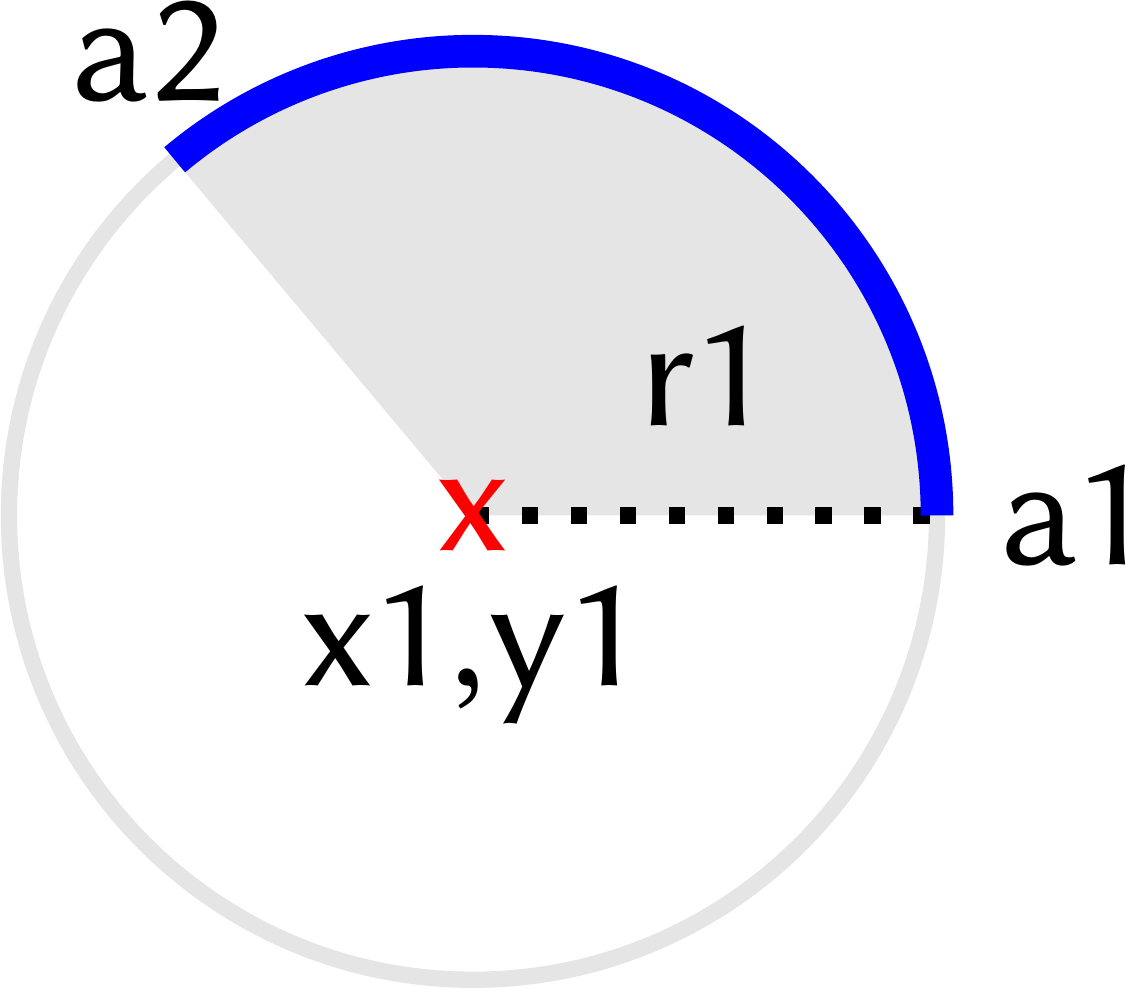 |
x1 x-coordinate of the centery1 y-coordinate of the centera1 start anglea2 end angler1 radiuscolor sets the line colorframe (opt.) frame number |
straight
arrow
|
aspect_drawarrow(x1,y1,x2,y2,[frame])aspect_drawarrow(x1,y1,x2,y2,color,[frame])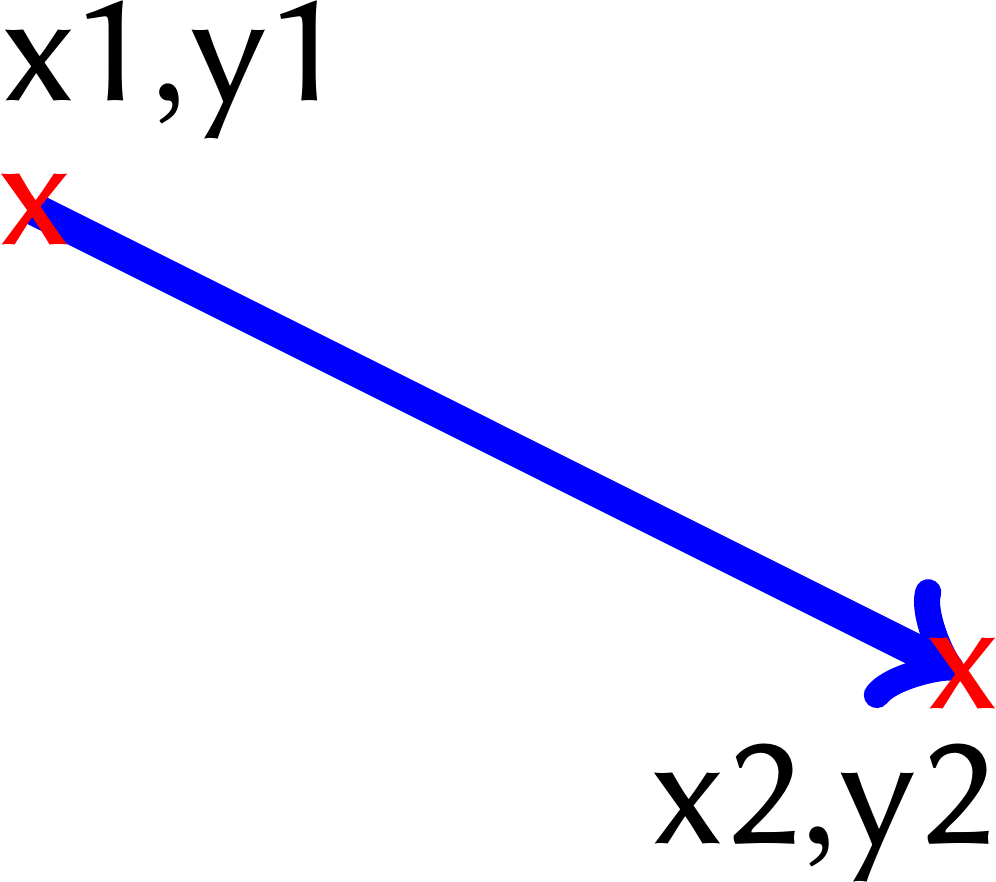 |
x1 tail x-coordinatey1 tail y-coordinatex2 tip x-coordinatey2 tip y-coordinatecolor set the line colorframe (opt.) frame number |
square /
rectangle
|
aspect_drawrectangle(x1,y1,x2,y2,[frame])aspect_colorrectangle(x1,y1,x2,y2,color,[frame])aspect_fillrectangle(x1,y1,x2,y2,fill,[frame])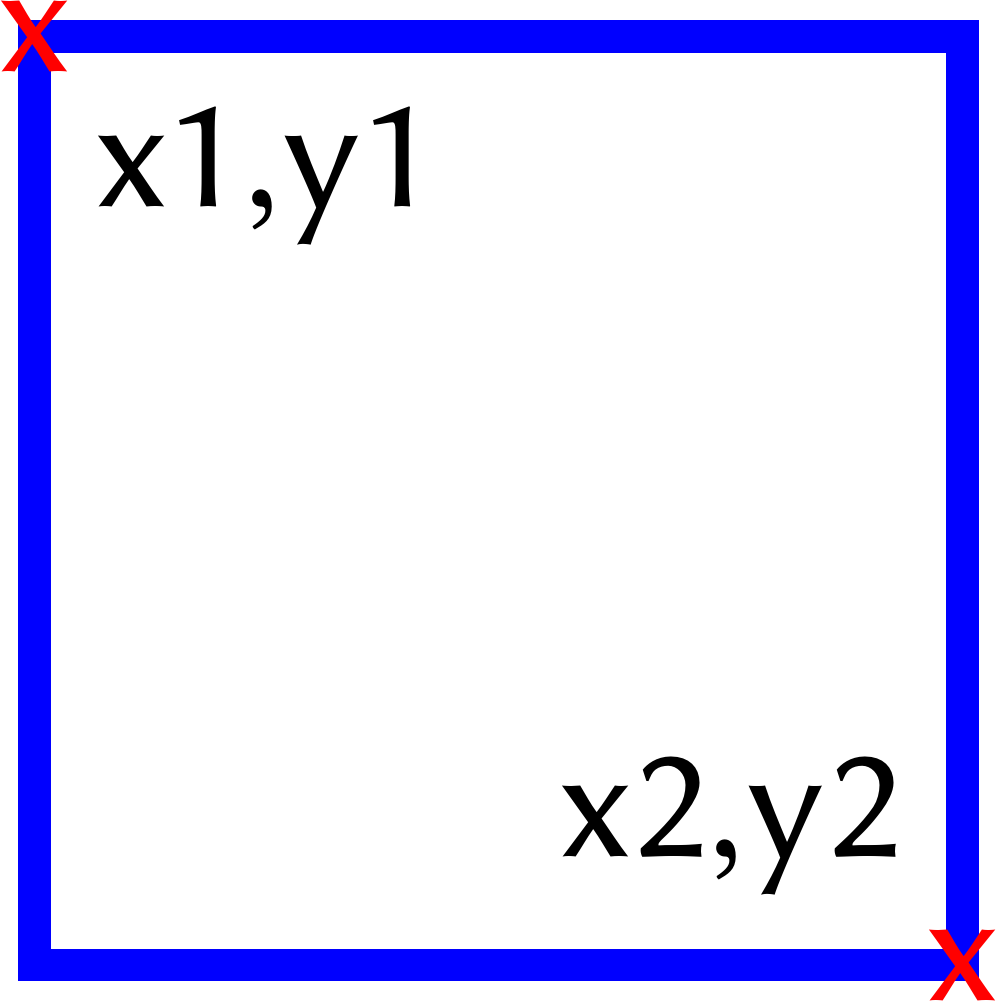 |
|
triangle
|
aspect_drawtriangle(x1,y1,x2,y2,x3,y3,[frame])aspect_colortriangle(x1,y1,x2,y2,x3,y3,color,[frame])aspect_filltriangle(x1,y1,x2,y2,x3,y3,fill,[frame])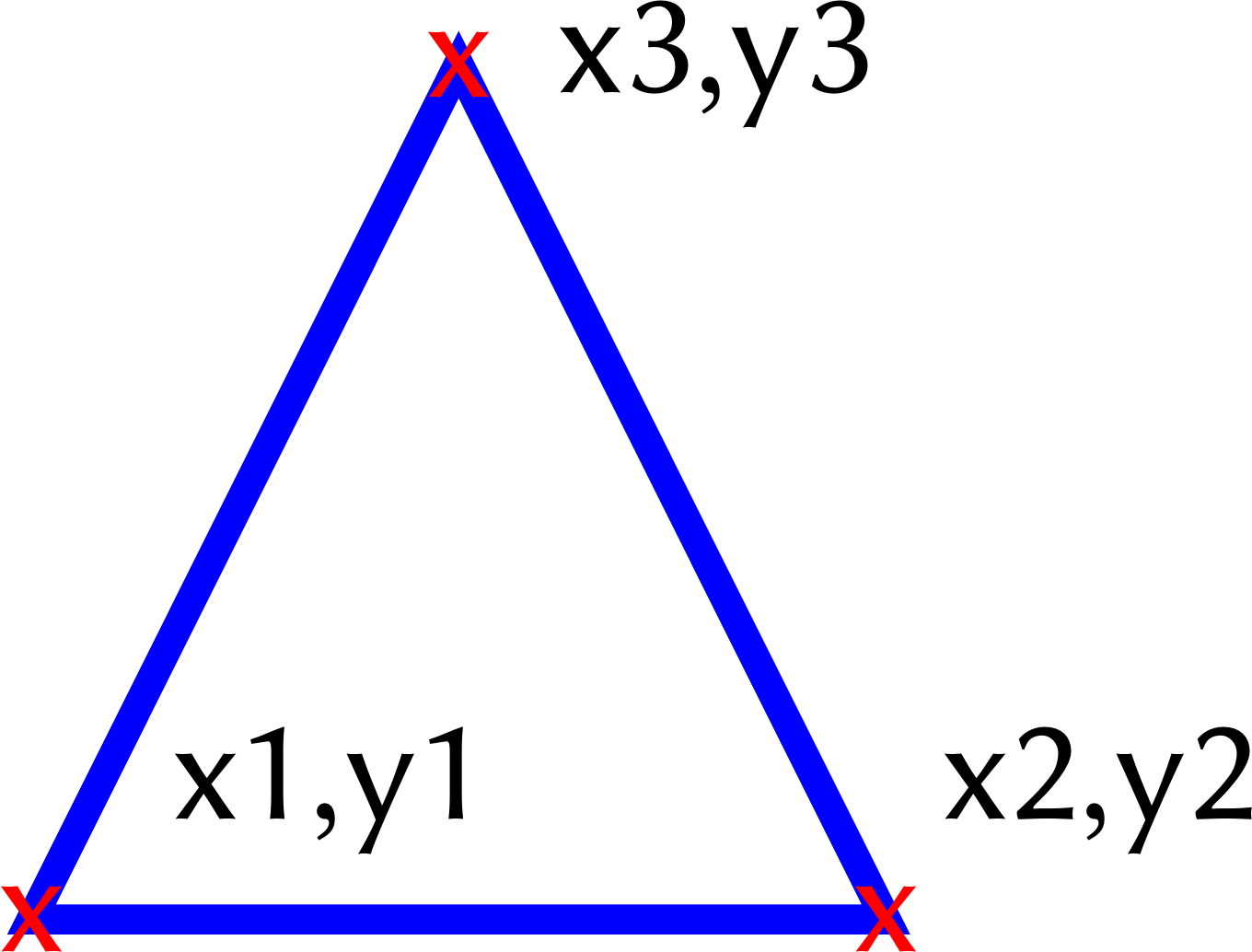 |
|
circle
|
aspect_drawcircle(x1,y1,r1,[frame])aspect_colorcircle(x1,y1,r1,color,[frame])aspect_fillcircle(x1,y1,r1,fill,[frame])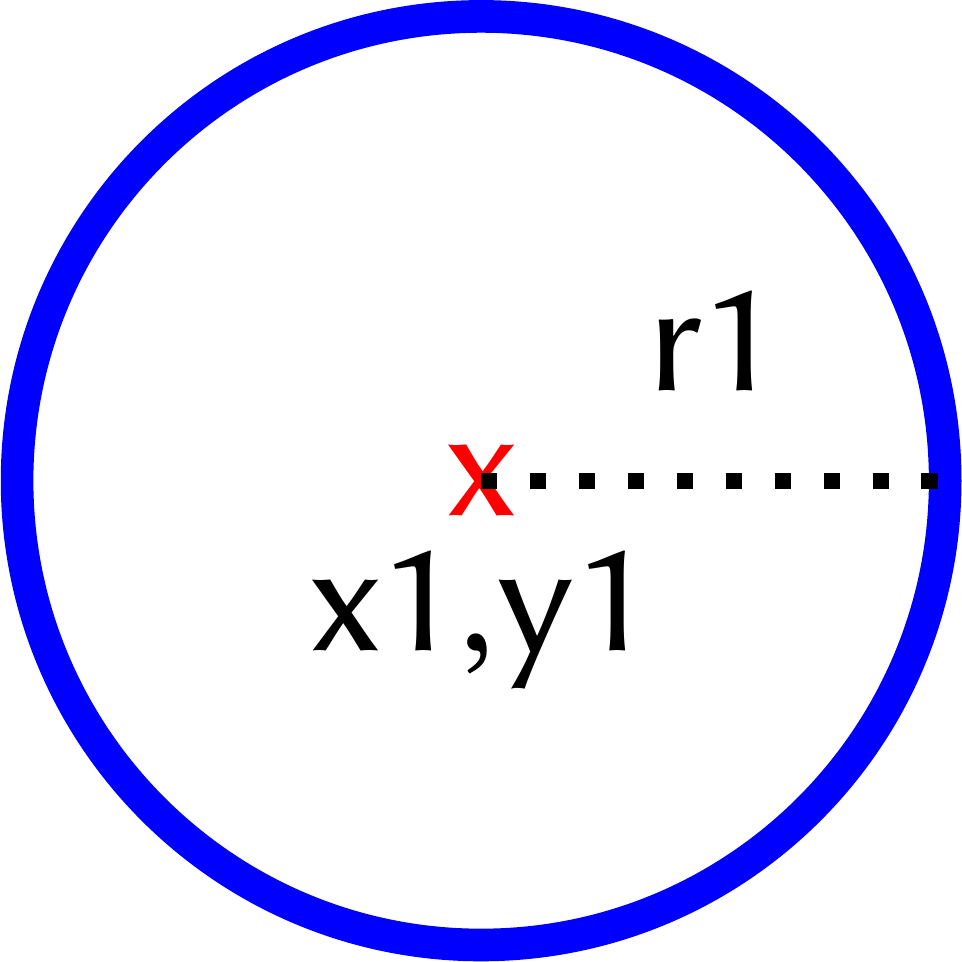 |
|
ellipse
|
aspect_drawellipse(x1,y1,r1,r2,[frame])aspect_colorellipse(x1,y1,r1,r2,color,[frame])aspect_fillellipse(x1,y1,r1,r2,fill,[frame])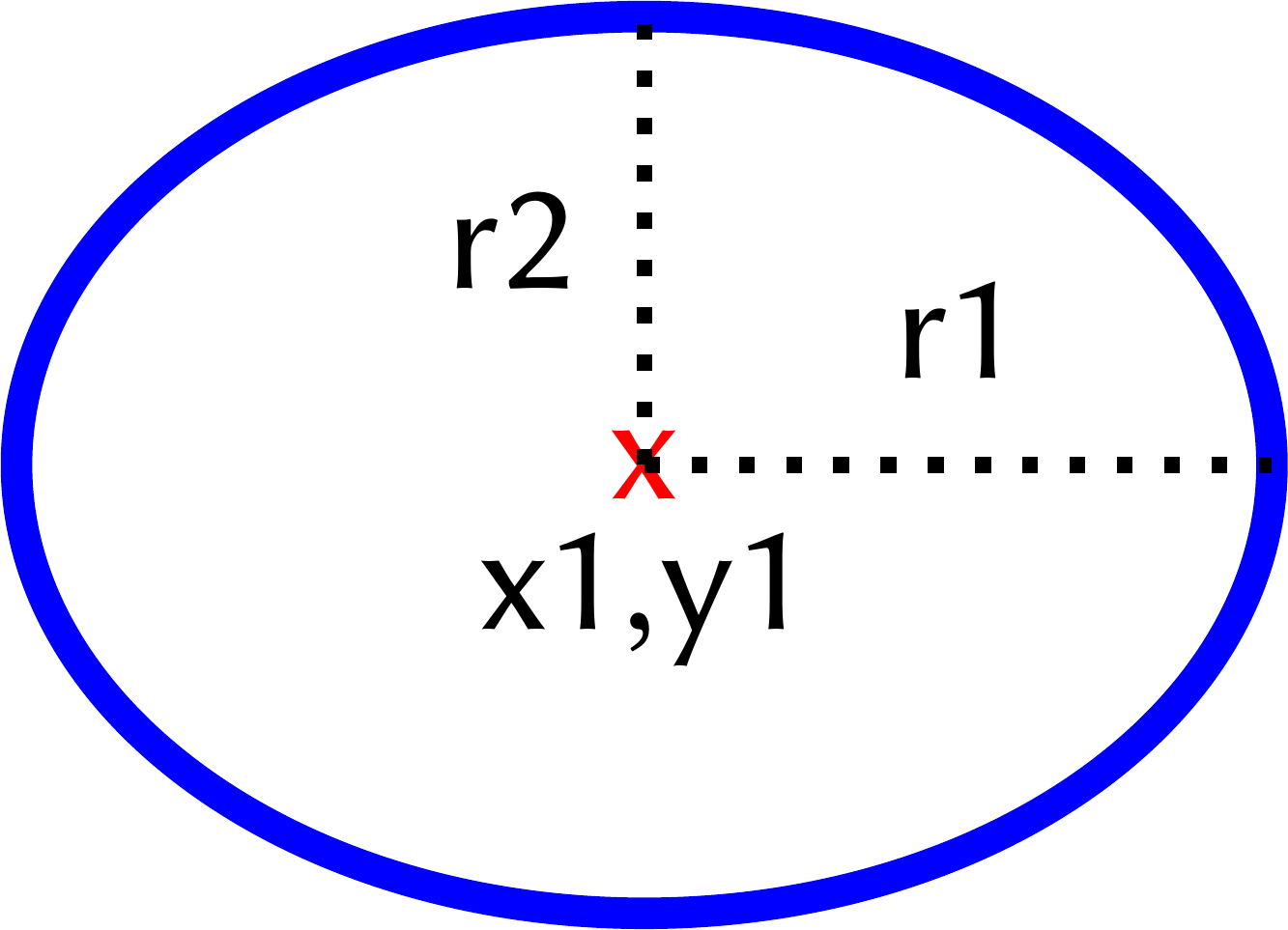 |
Graph ASPECT Atoms
Attention
The two sets of ASPECT atoms (standard atoms and graph atoms) are incompatible so they cannot be used in the same ASP program at the same time.
Graphic
element
|
ASPECT
atoms
|
Parameters
description
|
|---|---|---|
node |
aspect_graphdrawnode(A,[shape],[frame])aspect_graphcolornode(A,fill,[shape],[frame]) |
shape: allows to choose thecircleshape for the node. By default nodes are represented by squares.
Hint
aspect_graphdrawnode(1)a square-shaped node.aspect_graphdrawnode(2, circle)a circular-shaped node.
edge |
aspect_graphdrawline(A,B,[frame])aspect_graphquoteline(A,B,text,[frame]) |
A name first endpointB name second endpointtext sets edge label |
arrow |
aspect_graphdrawarrow(A,B,[frame])aspect_graphquotearrow(A,B,text,[frame]) |
A name arrow tailB name arrow tiptext sets edge label |
text: quoted or unquoted text. If text contains whitespaces or special characters, quotation marks are mandatory.